
Avantgarde Casino Login for UK Players
Log in to your account from the official website or the mobile app. Enter your registered email and password, and your profile loads in under 10 seconds. Once your account passes verification, you can log in at any hour to reach sports betting, casino games, bonuses and your transaction history. Each session stays protected by encrypted data protection and 2FA for extra account security.
Avantgarde Casino Account Login Options for UK Users
You can complete your account login in three ways: email and password login, mobile app login, and quick login with saved credentials.
Email and Password Login
This method works on any browser and is the default route to sign in to your account. Your profile information stays linked to the email you registered with, so recovery options connect directly to it.
- Open the website on your browser.
- Tap the login button at the top right corner of the screen.
- Enter your registered email and password.
- Tap “Log In” to reach your account dashboard.
Mobile App Login with Biometric Access
The app login method supports Face ID or fingerprint recognition on compatible devices, removing the need to type your password each time. This option keeps your session active on your personal device until you log out manually.
- Open the app on your phone or tablet.
- Tap the login icon on the home screen.
- Confirm your identity with Face ID, fingerprint, or your password.
- Reach your dashboard, balance and active bonuses.
Quick Login with Remember Me
Tick the “Remember Me” box during your first login. Your browser then stores an encrypted session token for faster access next time. This option suits players who log in from the same device daily.
- Log in once with your email and password.
- Tick the “Remember Me” box before confirming.
- Return to the website; your session loads without re-entering credentials.
Avantgarde Casino Login via the Mobile App
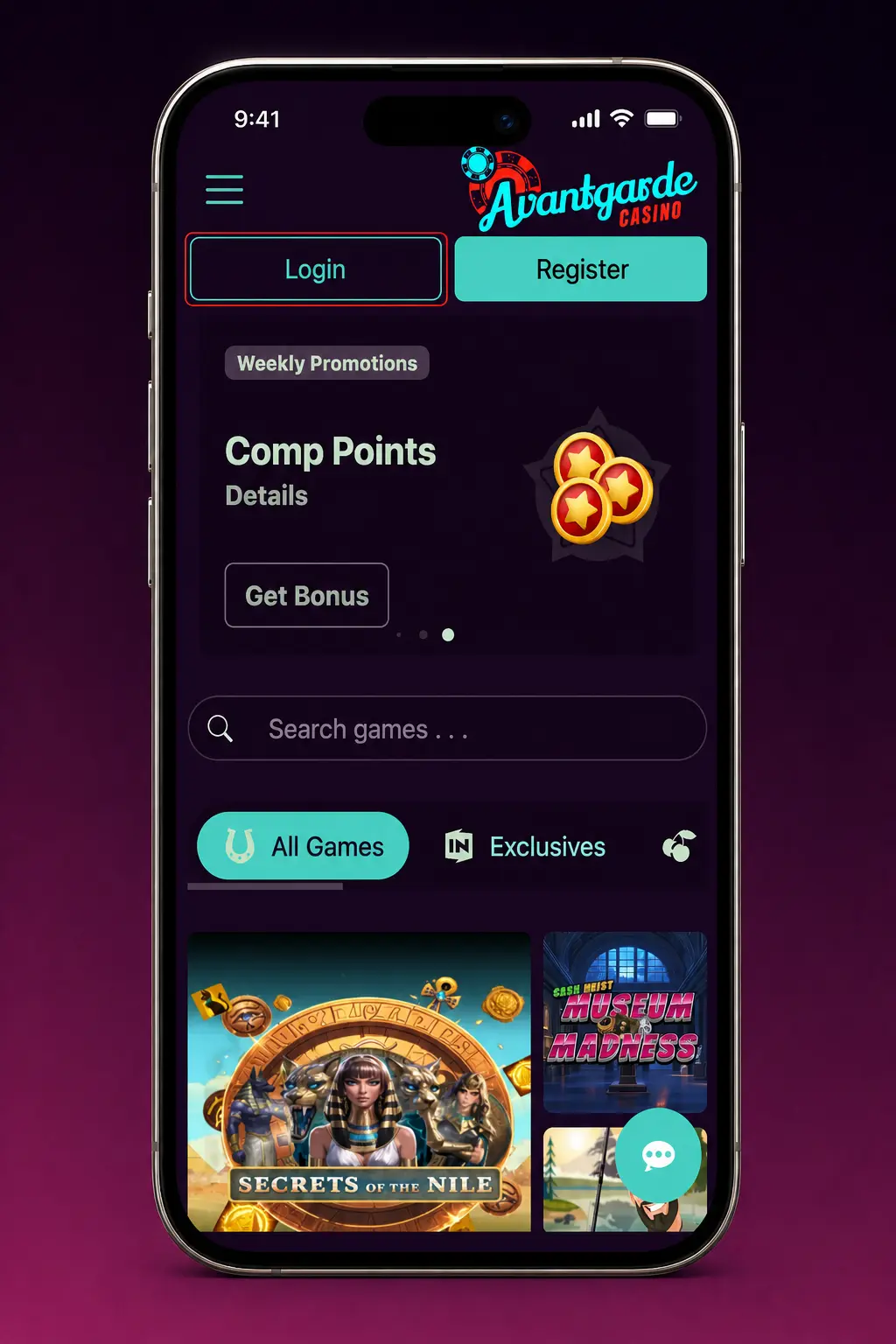
The mobile app login follows the same credentials as the official website login, with biometric access added for returning players.
- Download the Avantgarde Casino app for iOS or Android.
- Open the app and tap the login field.
- Enter your email and password, or confirm with Face ID or fingerprint.
- Confirm the 2FA code if prompted.
- Reach your dashboard with sports betting, casino games and your bonus balance ready.
Possible Avantgarde Casino Login Problems and Solutions
Login problems happen for a few common technical reasons. Each has a direct solution below.
| Problem | Solution |
|---|---|
| Forgotten password | Tap “Forgot Password” on the login screen and reset it via the email link. |
| Account locked after failed attempts | Wait 15 minutes, or contact support to restore access to your profile. |
| 2FA code not received | Check your spam folder, confirm your phone number, or request a new code after 60 seconds. |
| Verification still pending | Upload a clear photo ID and proof of address; review typically completes within 24 hours. |
| Browser cache issues | Clear your browser cache and cookies, then reload the login page. |
Recovering a Forgotten Avantgarde Casino Password
Password recovery takes under 5 minutes through your registered email or phone number. The process follows the same steps on the website and the app.
- Tap “Forgot Password” on the login screen.
- Enter the email or phone number linked to your account.
- Open the reset link or SMS code within 15 minutes of the request.
- Create a new password with at least 8 characters, including one number.
- Log in with your new password to reach your account.
FAQ
Can you log in to Avantgarde Casino from outside the UK?
Access depends on your account’s registered country. Logging in from abroad may trigger extra verification steps for security.
How many devices can you use for login at once?
You can stay logged in on up to 3 devices at the same time, including one browser session and two app sessions.
Does the session expire automatically?
Yes. Sessions close automatically after 30 minutes of inactivity. Log in again with your credentials to resume.
What happens if you self-exclude and try to log in?
Accounts under self-exclusion cannot log in until the selected period ends. Contact support for advice on your exclusion status.
Is age verification required before login works fully?
Yes. UK accounts require age and identity verification before withdrawal access opens, though login itself is available right after registration.